Your week, connected to your degree

A UK university
student planner.
With the bigger picture.

Bring your modules, timetable, coursework and exam deadlines together. Connect the work ahead with your weighted grades, degree target and lecture revision, so you can decide what to work on next.

Available in UniTracks 3.0.2. Update the app to start using the study suite. For iPhone and iPad. Android is a separate beta with different features.

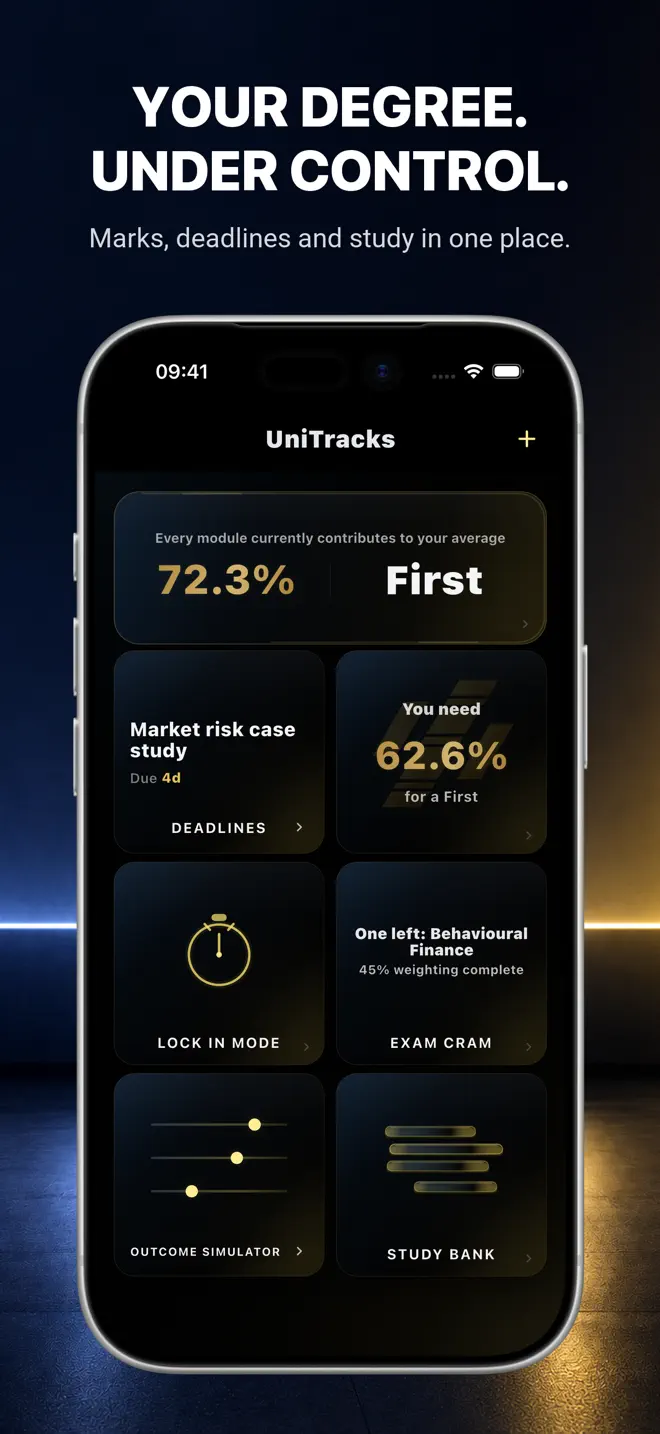
UniTracks degree dashboard showing a coursework deadline, target requirement, Lock In, Exam Cram and Study Bank inside a silver iPhone
Current public 3.0.2 App Store gallery · example academic data. Some features shown require Pro.

A practical starting point

Plan the week around your modules.

Start with the dates and assessment rules your university gives you. This fictional week shows how the pieces fit together; it is an example workflow, not an automatic schedule or a promise about results.

  1. Monday

    Statistics

    Add the week’s lectures to your manual timetable. Check the coursework due on Friday and reserve a study session.

    Timetable + Deadlines · Free

  2. Tuesday

    Economics

    Import an authorised lecture transcript. Generate notes or flashcards, check them against the source and keep them in the module’s Study Bank.

    Shared Free AI trial · more with Pro

  3. Wednesday

    Statistics

    Review the assessment weighting before choosing your next task. Use your target calculation to see what remaining marks would mean.

    Modules + Goal Requirement · Free

  4. Thursday

    Revision

    Revisit saved cards and quiz feedback. Start a Lock In preset for focused practice; use Pro’s Exam Cram when you want revision priorities.

    Lock In presets · Free / Exam Cram · Pro

  5. Friday

    Coursework

    Check your submission deadline, submit through your university’s system and keep the assessment’s status and later mark together in UniTracks.

    Assessment tracking · Free

The timetable is entered manually. UniTracks does not submit coursework for you or replace your university’s official systems.

A deadline has a degree impact

Choose the next task with context.

A university grade tracker becomes more useful when each mark stays attached to its module credits and assessment weighting. Keep confirmed marks separate from estimates, see your current position and calculate what remains for your target.

For example, a piece of coursework worth 40% of a 20-credit module deserves a different plan from a small weekly exercise. Combine that weighting with the due date and the revision still needed. Pro’s Exam Cram helps prioritise revision; Lock In turns your choice into a focused session.

UniTracks is a planning aid. Degree calculations are estimates and depend on what you enter. Check year weightings, borderline rules and course requirements with your university.

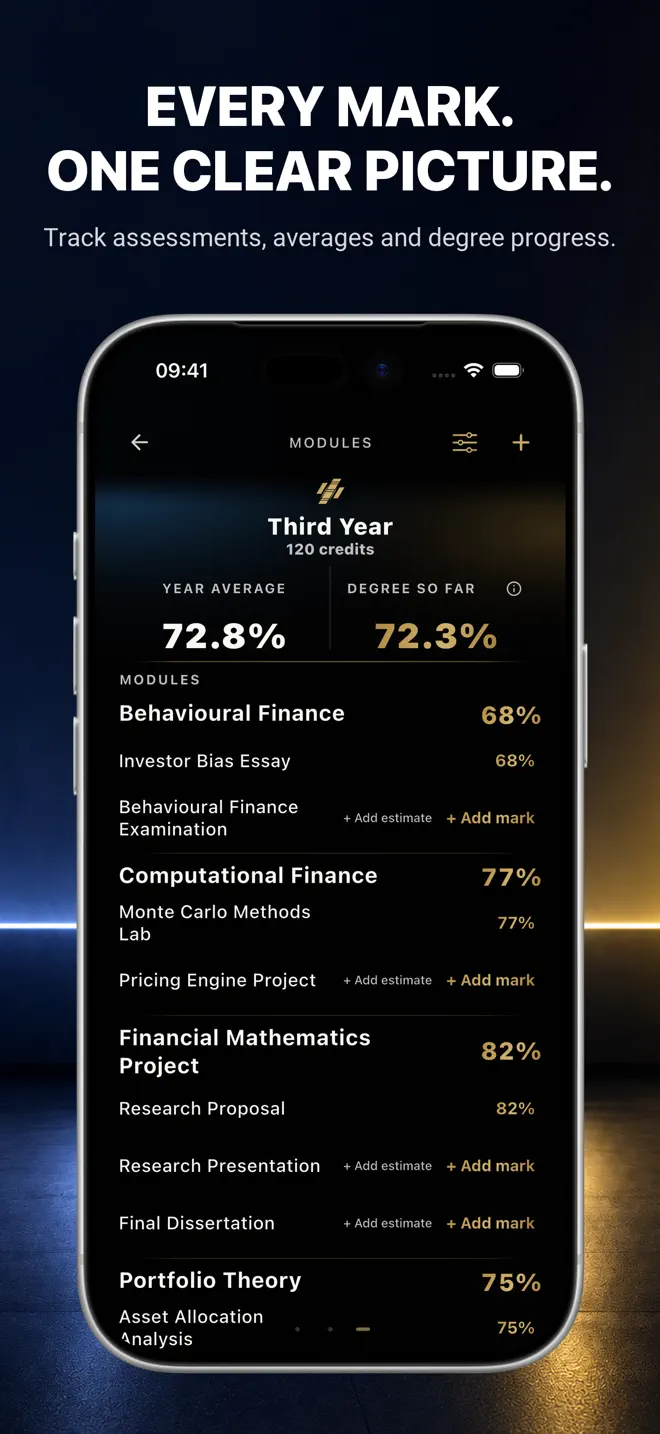
Public UniTracks App Store screenshot of the Modules screen with module credits and assessment marks in a silver iPhone
Public 3.0.2 gallery · example modules and marks.
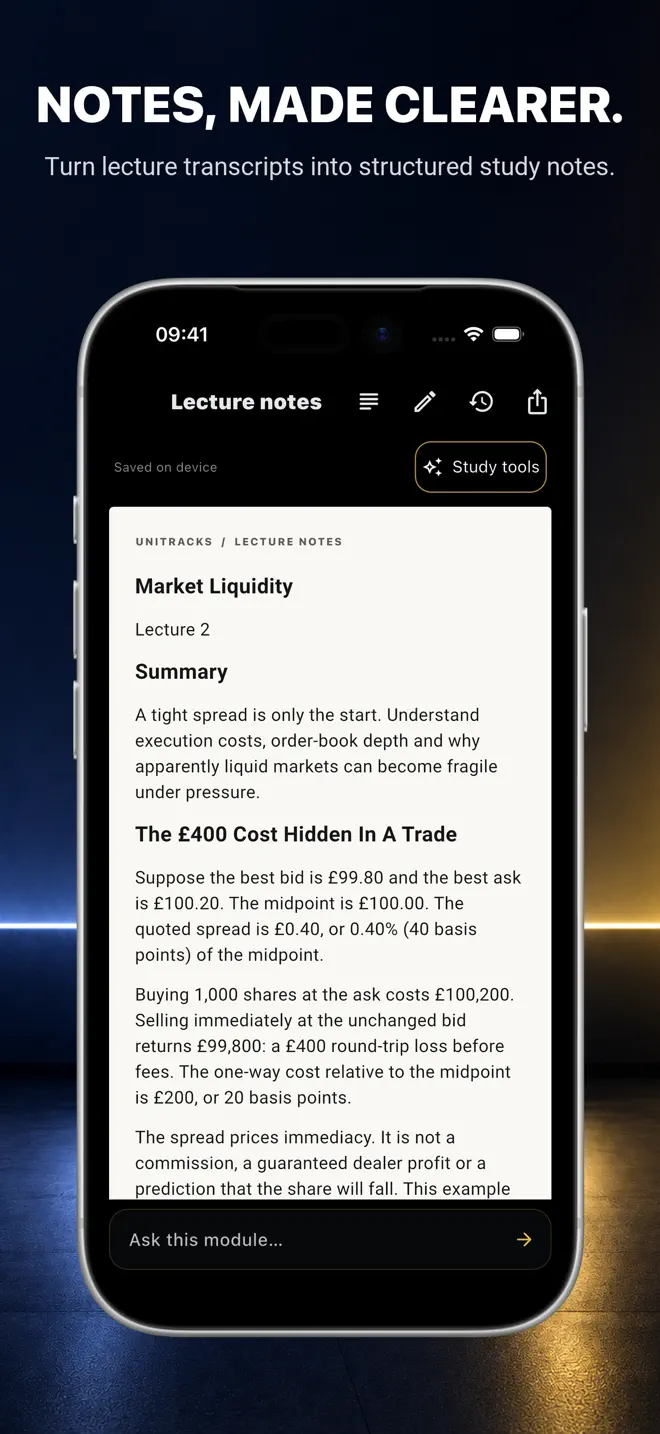
Public UniTracks App Store screenshot showing structured lecture notes and a worked market-liquidity example inside a silver iPhone
Public 3.0.2 gallery · example generated study material. Generation uses the shared Study AI allowance.

From the lecture to revision

Keep the material beside the module.

Paste or import an authorised transcript in UniTracks, or send pasted text through Safari Capture for Mac, iPhone and iPad or desktop Chrome Capture. Capture does not receive your university passwords or cookies.

Turn transcript text into Notes, Flashcards or Quizzes. Keep transcripts and saved material organised by module and lecture in Study Bank, revisit a deck and use quiz feedback to identify what needs another look. Reopening saved material does not consume a new generation.

On supported iPads, Pro also lets you handwrite notes and annotate imported PDFs with Apple Pencil. iPhone reads and manages saved notes; it does not provide the iPad handwriting editor. Export PowerPoint slides to PDF before importing.

Know what is included

Start with Free. Add Pro when it helps.

UniTracks Free

The core of your university plan.

Track modules, assessment marks, weighted averages and target requirements. Add unlimited deadlines, enter a manual timetable, create and read your own notes and use Lock In presets.

Free includes 10 transcript imports total and 3 AI generations total, shared across Notes, Flashcards and Quiz in any combination. These do not reset each month.

Automatic private-iCloud sync is included on compatible Apple devices. It requires iCloud, connectivity and compatible versions; transfers can take time and conflicts may need a choice.

UniTracks Pro

More revision and planning tools.

£23.99/year or £3.99/month in the UK

Pro adds Outcome Simulator, Exam Cram, custom Lock In flows, manual flashcard creation, Ask this lecture/module and Apple Pencil writing and PDF annotation on supported iPads.

Pro includes one shared monthly Study AI allowance, not unlimited AI. Optional Extra AI top-ups use the same balance across study tools. Prices and purchases come from the App Store.

Saved Notes, Flashcards and Quizzes remain available after Pro ends. Further restricted creation and Ask require active Pro and the applicable allowance. Check current prices and auto-renewal terms in the App Store before purchasing.

Compare the full Free and Pro feature table →

Devices, privacy and practical limits

Before you plan your week.

Can I use UniTracks as an assignment deadline tracker?+

Yes. Free includes unlimited deadlines and a manual timetable alongside modules, assessments and marks. Enter dates from your official course information and check the university’s submission system for the authoritative deadline.

What marks do I need for a 2:1?+

UniTracks calculates the average needed across your remaining assessments using the marks, credits and weightings you enter. A 2:1 commonly starts at 60%, but university rules vary. Use the free degree calculator and check your official course regulations; projections are estimates.

Is the full study planner available on Android?+

The connected study suite described here is available in UniTracks 3.0.2 for iPhone and iPad. Android remains a separate beta and does not include the complete Apple study suite. Mac Safari and desktop Chrome Capture send authorised transcript text to the paired Apple app; they are not the full desktop planner.

Does lecture revision happen entirely on my device?+

No. AI generation needs an internet connection. Transcript text is sent through UniTracks’ Cloudflare-hosted service to OpenAI, separately from private iCloud sync. AI can be wrong: check its output against your lecture source. Only import material you are authorised to use. See the Privacy Policy for recipients, retention and choices.

Your next week starts here

One connected university plan.

Add your modules, enter your next deadline and start with a clear view of the work ahead.