Auto-generated Notes
Turn each lecture transcript into clear, tailored notes.
Shared Free AI trial · more with ProAvailable now · iPhone & iPad
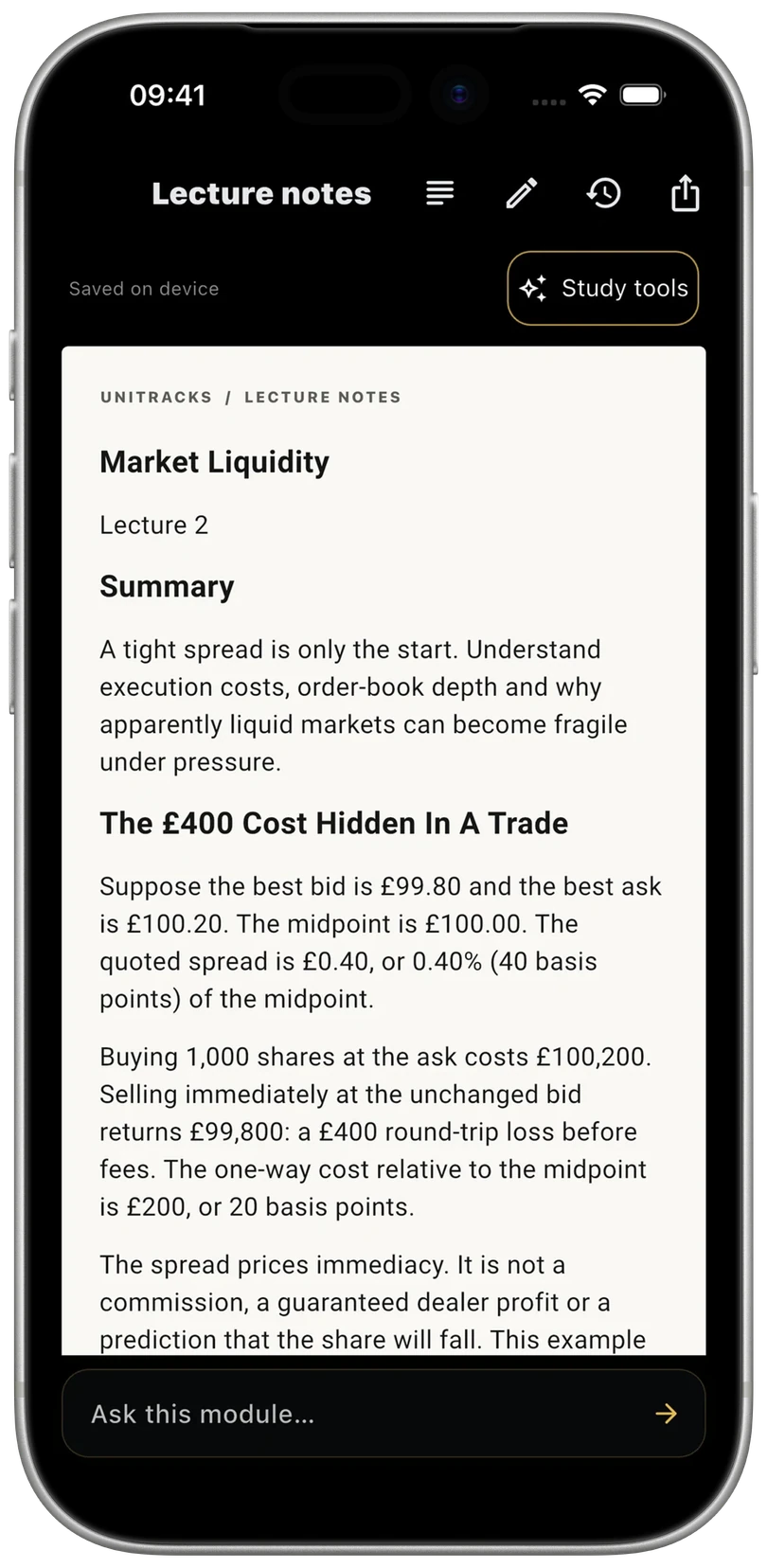
Turn lecture transcripts into clear notes, flashcards and quizzes. Write your own notes on iPad. Keep revision connected to your modules, deadlines and degree goals.
Available in UniTracks 3.0.2. Update the app to start using the study suite. Downloads open the current app.
Available now · iPhone & iPad
Start with a lecture transcript or your own notes. Build a module’s revision material, practise it, and come back to what needs another look.
Available in UniTracks 3.0.2. Update the app to start using the study suite.
See what’s Free and ProTurn each lecture transcript into clear, tailored notes.
Shared Free AI trial · more with ProTurn lecture content into standalone revision questions. Practise and revisit your saved decks.
Shared Free AI trial · more with ProTest your understanding with questions generated from your lecture transcripts.
Shared Free AI trial · more with ProWrite notes by hand and annotate imported PDFs on iPad with Apple Pencil. Read and manage saved notes on iPhone.
Pencil writing requires Pro · iPad onlyWrite by hand and annotate imported PDFs with Apple Pencil on iPad.
Pencil writing & PDF annotation require Pro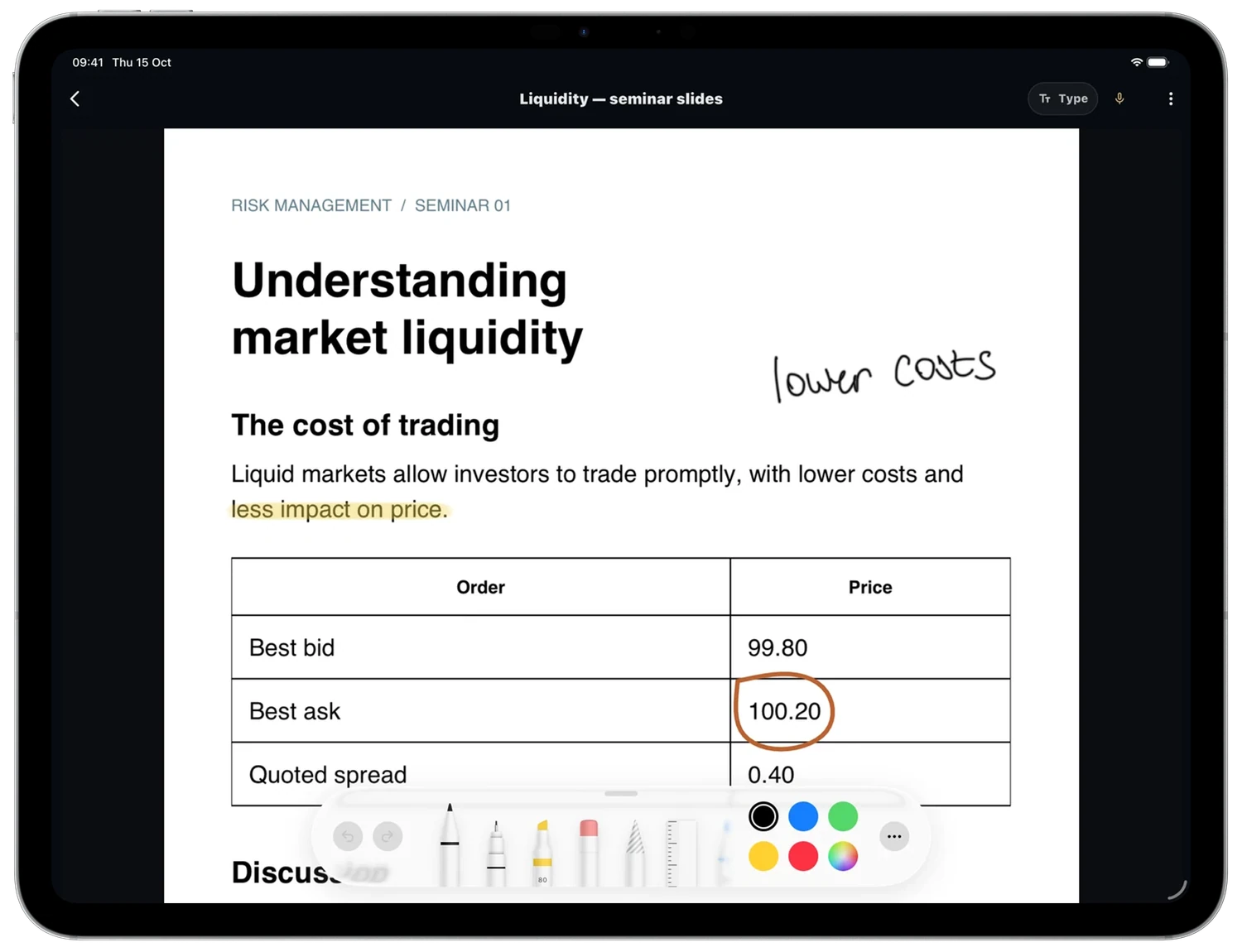
Work through flashcards and quiz questions, with feedback to help you study.
Shared Free AI trial · more with Pro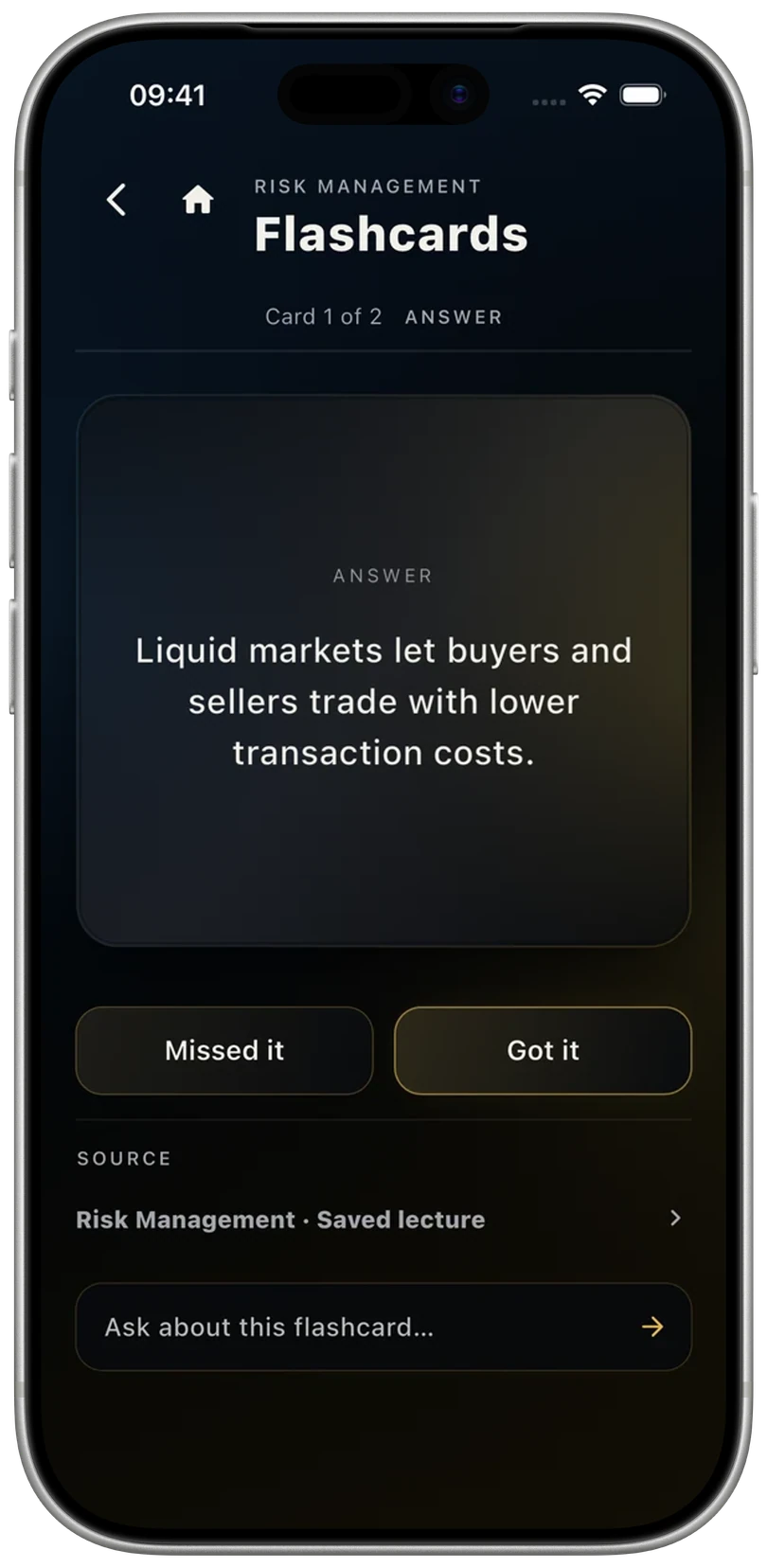
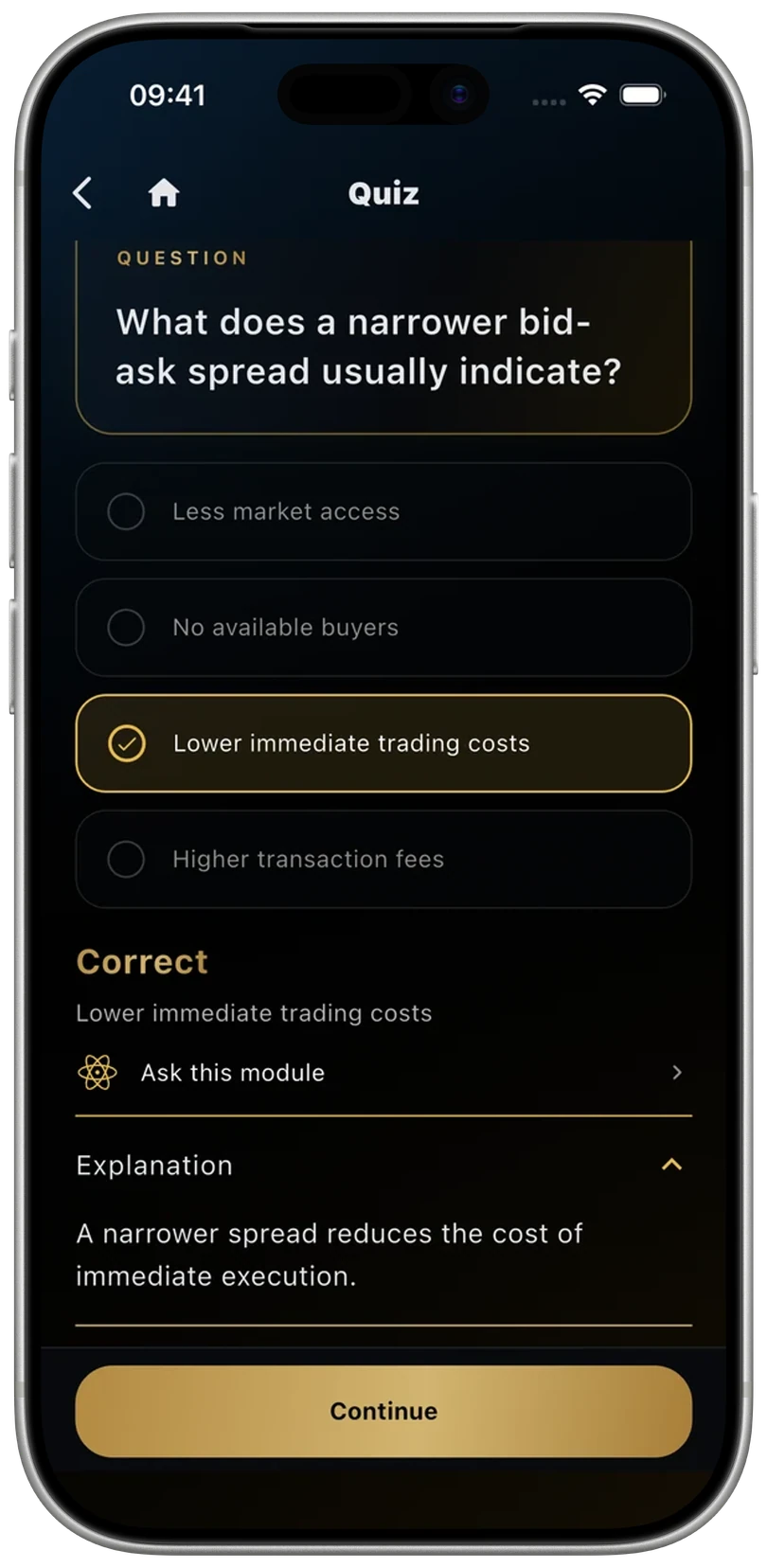
3.0.2 development previews with example study material. Final release appearance may vary.
01 · Bring it in
Paste an authorised transcript or import a supported transcript file in the app. Safari Capture on Mac, iPhone and iPad and desktop Chrome Capture give you another way to paste and send it, without receiving your university passwords or cookies.
Explore Capture02 · Keep it together
Keep transcripts, notes, flashcards and quizzes organised by module. Choose saved material to study, or a lecture to generate from. Reopening saved material does not use another AI generation.
03 · Go deeper
Ask this lecture or Ask this module with Pro. Use your module’s context to explore a question, then check AI answers against the original source.
Pro · uses the shared Study AI allowanceFree includes 10 transcript imports total and 3 AI generations total, shared across Notes, Flashcards and Quiz in any combination. These do not reset each month. Pro includes one shared monthly Study AI allowance, not unlimited AI. Optional Extra AI top-ups use the same balance across study tools. Prices and purchases come from the App Store.
One connected degree picture
UniTracks turns the moving parts of a degree into a clear picture you can act on.
See your current and projected degree position as marks and estimates change.
Turn a classification target into the average needed across your remaining work.
Connect academic impact, deadlines and study activity to decide what deserves attention next.
Built as one system
A mark is not just a number. It affects your module, your year, your target and what you should do next. UniTracks keeps those relationships visible.
Keep credits, assessments, marks and estimates connected.
See the mark needed across the work still ahead.
Test possible results before changing your real data.
See what is due and how it connects to each module.
Prioritise revision using timing and academic impact.
Turn the plan into a focused study session.
Straightforward by design
UniTracks is free to download on the UK App Store, includes optional Pro features and is designed for iPhone and iPad.
Privacy that starts locally
No conventional UniTracks account is required. Your degree data is local-first. In 3.0.2, automatic iCloud sync is included with Free and Pro on compatible Apple devices. It depends on iCloud, connectivity and compatible versions; changes can take time and conflicting edits may need a choice.
Read the privacy policyThe complete browser calculator
Build your degree with modules, credits, assessments, confirmed marks and estimates. The calculator runs in your browser with no account and can transfer your setup into UniTracks by QR.
Free first. Pro when you want more.
Available in UniTracks 3.0.2. Update the app to start using the study suite.
UniTracks Free
UniTracks Pro
£23.99/year or £3.99/month
Free includes 10 transcript imports total and 3 AI generations total, shared across Notes, Flashcards and Quiz in any combination. These do not reset each month. Pro includes one shared monthly Study AI allowance, not unlimited AI. Optional Extra AI top-ups use the same balance across study tools. Prices and purchases come from the App Store.
Compare Free and ProPlan the university week
Use UniTracks as a UK university student planner: connect modules, weighted marks and lecture revision with the work due next.
See how to plan your university week →Before you get started
What’s available, what’s included, and how your material is handled.
The study suite is available now in UniTracks 3.0.2 for iPhone and iPad. Safari Capture for Mac, iPhone and iPad, and desktop Chrome Capture are live. Android remains a separate beta and does not include the Apple study suite.
Free includes 10 transcript imports total and 3 AI generations total, shared across Notes, Flashcards and Quiz in any combination. These do not reset each month. Your core modules, marks, averages, target calculations, deadlines, manual timetable and Lock In presets remain useful without Pro.
Pro includes one shared monthly Study AI allowance, not unlimited AI. Optional Extra AI top-ups use the same balance across study tools. Prices and purchases come from the App Store. Ask this lecture and Ask this module are Pro-only. Previously saved material can be revisited without generating it again.
Start with your degree
Track your marks, targets and deadlines with the free app. Available in UniTracks 3.0.2. Update the app to start using the study suite.